IGNOU Registration Status 2026: Students who have applied for admission to Indira Gandhi National Open University (IGNOU) can check their registration status online to find out whether their admission details have been recorded and processed. Checking the status is an important step after submitting an application form, uploading documents, and paying the required admission fee.
IGNOU offers a wide range of undergraduate, postgraduate, diploma, postgraduate diploma, and certificate programmes through Open and Distance Learning (ODL) and online modes. After applying, students may need to wait while their application and supporting documents are processed. The registration status portal helps applicants and enrolled students check the available admission or registration information.
If you have recently applied for an IGNOU programme and want to know whether your registration is confirmed, you should use the university’s official online service rather than relying on unofficial websites or social media updates.
This article explains how to check IGNOU Registration Status 2026, which details you may need, how to understand the result, what to do if your status is not available, and where to find the important official links.
IGNOU Registration Status 2026: Overview
The following table provides a quick overview of the IGNOU registration status service and the main links students may need.
| Particular | Details |
|---|---|
| University name | Indira Gandhi National Open University |
| Popular search term | IGNOU Registration Status 2026 |
| Main service | Admission and registration status |
| Official status portal | https://isms.ignou.ac.in/changeadmdata/AdmissionStatusNew.ASP |
| Information required | Enrolment number and programme code, as requested by the portal |
| Fresh admission portal for ODL programmes | https://ignouadmission.samarth.edu.in/ |
| Online programmes portal | https://ignouiop.samarth.edu.in/ |
| Re-registration portal | https://onlinerr.ignou.ac.in/ |
| Official university website | https://www.ignou.ac.in/ |
| Student portal | https://ignou.samarth.edu.in/ |
| Grievance portal | https://igram.ignou.ac.in/ |
| Important advice | Check the correct portal for your application type and admission session |
Registration status and admission status are often used interchangeably by students. However, the exact information available depends on whether you are checking a fresh admission application, an existing student’s registration details, or re-registration for the next semester or academic year.
What Is IGNOU Registration Status?
IGNOU registration status is information that helps applicants and students verify the current details available in the university’s admission or registration system.
After submitting an admission application, the university may need to process the form, verify the submitted documents, confirm eligibility, and complete other applicable administrative steps. The online status service allows students to check the information recorded in the system.
Students may use the service to review details associated with their enrolment number and programme. Depending on their admission stage and the portal being used, the information may help them confirm whether their admission details have been recorded.
It is important to distinguish between the following situations:
- Fresh admission: Applying to IGNOU for a new programme.
- Registration details: Checking the information associated with an enrolment number and programme.
- Re-registration: Continuing an existing programme into the next semester or academic year, where applicable.
- Fee payment status: Checking whether a payment transaction has been recorded successfully.
- Student portal access: Logging in to access services available to enrolled students.
These services are related but are not identical. For example, a successful payment transaction does not by itself establish that every part of an admission application has been approved. Similarly, an existing student’s re-registration should be checked through the designated re-registration service.
How to Check IGNOU Registration Status 2026 Online?
Students can check their admission and registration details through the official IGNOU status portal. Follow these steps to view the information available for your application or enrolment.
Step 1: Open the Official IGNOU Registration Status Portal
Visit the official page:
https://isms.ignou.ac.in/changeadmdata/AdmissionStatusNew.ASP
This portal is titled “Know Your Admission/Registration Details.” Make sure the website address belongs to IGNOU before entering your information.
Step 2: Enter Your Enrolment Number
Enter your IGNOU enrolment number in the field provided. If you have already received an enrolment number, use the number associated with your programme.
If you are a new applicant who has not yet received an enrolment number, you may need to check your application through the admission portal or use the appropriate admission confirmation service instead.
Step 3: Select Your Programme Code
Choose the correct programme code from the available list. Your programme code identifies the course or programme in which you have enrolled.
You can usually find this information in your admission application, confirmation communication, or other official IGNOU documents.
Step 4: Enter the Verification Code
If the portal displays a verification image or CAPTCHA, enter the characters shown. This step helps the website verify that the request is being submitted by a person.
If the characters are difficult to read, use the available option to refresh the image.
Step 5: Submit Your Details
Submit the form and wait for the portal to display the available information.
If the page does not respond immediately, check your internet connection and try again after a short interval. Avoid repeatedly submitting the form if the website is experiencing technical difficulties.
Step 6: Review Your Registration Information
Carefully review the information displayed on the page. Check that the enrolment number and programme details correspond to your records.
If the information appears incomplete or your admission status is unclear, consult the relevant admission portal or contact the concerned IGNOU Regional Centre for guidance.
How to Check IGNOU Fresh Admission Status?
Fresh admission status is relevant to applicants who have recently applied for a new IGNOU programme.
IGNOU uses separate admission portals for different programme categories. Therefore, students should begin with the same portal through which they submitted their application.
For Open and Distance Learning programmes, visit:
https://ignouadmission.samarth.edu.in
For online programmes, visit:
https://ignouiop.samarth.edu.in
Follow these steps:
- Open the appropriate admission portal.
- Log in using the account details associated with your application.
- Open the relevant application or admission section.
- Review any available application status, payment information, or instructions.
- Check whether the university has requested additional information or documents.
- Save any confirmation or acknowledgement available on the portal.
If you applied through a different portal for a specialised or fixed-intake programme, use the portal specified in that programme’s official admission notification.
Important: The availability and wording of status information may differ between admission portals. If your application does not appear on the general registration status page, check the portal where you originally applied before assuming that your application has been rejected.
Important Links for IGNOU Registration Status 2026
The following table contains useful official links for checking registration status, applying for admission, accessing student services, and resolving admission-related issues.
| Service | Official link | Purpose |
|---|---|---|
| IGNOU Registration Status | https://isms.ignou.ac.in/changeadmdata/AdmissionStatusNew.ASP | Check admission and registration details |
| IGNOU Official Website | https://www.ignou.ac.in/ | Access official announcements and university services |
| Fresh Admission for ODL Programmes | https://ignouadmission.samarth.edu.in/ | Apply for programmes offered through Open and Distance Learning |
| Online Programme Admission | https://ignouiop.samarth.edu.in/ | Access the online programme admission portal |
| IGNOU Re-registration | https://onlinerr.ignou.ac.in/ | Register for the next semester or academic year, where applicable |
| IGNOU Student Portal | https://ignou.samarth.edu.in/ | Access available services for enrolled students |
| IGNOU Student Services | https://www.ignou.ac.in/pages/65 | Find registration status and other student services |
| IGNOU Grievance Portal | https://igram.ignou.ac.in/ | Submit eligible student grievances |
| IGNOU Common Prospectus | https://www.ignou.ac.in/viewFile/services/common_prospectus/common-prospectus-july-2026-V-L-1-1.pdf | Review programme information and admission guidance for the July 2026 cycle |
| IGNOU Student Evaluation and Results Information | https://www.ignou.ac.in/ | Navigate to the relevant official examination or evaluation service |
Before applying or making a payment, check the latest official admission notification and programme-specific eligibility conditions. Admission dates and available programmes may vary by session and category.
What Does IGNOU Registration Status Mean?
The meaning of your status depends on the exact message displayed by the relevant portal. IGNOU may use different status descriptions across its admission, registration, and student systems.
The following table provides general guidance for understanding common situations. These are explanations of possible scenarios, not a definitive list of official portal messages.
| Status or situation | What it may mean | What you should do |
|---|---|---|
| Application submitted | Your application has been submitted to the portal | Save the acknowledgement and monitor the application |
| Processing or under review | The application may still be undergoing administrative checks | Allow time for processing and check for official updates |
| Admission confirmed | The available record indicates that admission has been confirmed | Verify your programme details and follow the instructions for enrolled students |
| Enrolment number not available | The number may not have been generated or displayed yet | Check the admission portal and official communication |
| No record found | The entered details may be incorrect or the record may not yet be available on that portal | Verify your details and check the portal where you applied |
| Payment pending or unsuccessful | The payment may not have been completed or recorded successfully | Review the payment record before attempting another transaction |
| Additional documents required | The university may need more information to process the application | Follow the official instructions and submit the requested documents |
| Re-registration pending | The next semester or academic year registration may not be complete | Check the re-registration portal and its instructions |
Do not interpret an unfamiliar message as a rejection without checking the relevant instructions. If you are unsure, contact the Regional Centre or admission support channel identified by IGNOU.
How Long Does IGNOU Registration Take to Update?
There is no single guaranteed processing period that applies to every IGNOU programme and admission cycle. The time required can depend on the application date, programme category, document verification, payment reconciliation, and administrative processing.
A registration record may not appear immediately after you submit an application. Likewise, an enrolment number or confirmation communication may take time to become available.
If your status has not changed, consider the following steps:
- Confirm that your application was submitted successfully.
- Check whether you received an application acknowledgement.
- Verify that your payment was recorded.
- Look for any request to correct or provide additional information.
- Check the relevant admission portal and the official IGNOU announcements page.
- Contact the appropriate support office if the delay continues beyond the expected processing period communicated by the university.
Avoid relying on unofficial claims about a fixed confirmation date. The most reliable information is the status shown on the relevant portal and the instructions published by IGNOU for your admission session.
What to Do If IGNOU Registration Status Is Not Showing?
If your registration status is unavailable, there are several possible explanations. You may have entered an incorrect enrolment number, selected the wrong programme code, or checked a portal that does not display your particular application stage.
Use the following troubleshooting steps.
1. Verify Your Enrolment Number and Programme Code
Check your enrolment number carefully and make sure that you have selected the correct programme code. Even a small typing error can prevent the system from locating the correct record.
If you have only recently applied and have not received an enrolment number, check the application portal instead.
2. Check the Original Admission Portal
If you submitted your application through the Samarth admission portal, log in to that portal and review the available application information.
Applicants for online programmes should check the online programme admission portal. Do not assume that every application is displayed on the same page.
3. Confirm Your Payment
If the application fee was paid online, check whether the payment transaction was completed and whether the portal generated an acknowledgement.
If money was deducted but the application or acknowledgement does not appear, do not immediately pay again. Check the transaction status and follow the instructions provided by the official payment or admission portal to avoid duplicate payments.
4. Review Official Messages
Check the email address and mobile number you used during registration. Look for admission acknowledgements, verification requests, payment notifications, or instructions from IGNOU.
Also check the official university website for announcements that may affect processing timelines.
5. Contact the Appropriate Regional Centre
If the issue remains unresolved, contact the Regional Centre responsible for your admission or programme.
Provide your application reference or enrolment number, programme name, admission session, application date, and a concise description of the problem. Include relevant acknowledgement details where appropriate.
6. Submit a Grievance if Necessary
If you cannot resolve the issue through the normal support channels, use the official IGNOU grievance portal:
Follow the instructions on the portal and retain any grievance reference number or acknowledgement. Use this route for an appropriate unresolved student issue rather than submitting repeated requests through multiple channels without new information.
Difference Between IGNOU Registration and Re-registration
Students sometimes confuse fresh registration with re-registration. Although both relate to continuing education at IGNOU, they serve different purposes.
| Feature | Fresh admission or registration | Re-registration |
|---|---|---|
| Who uses it? | Applicants joining a programme | Existing students continuing their programme |
| Main purpose | Apply for admission to a programme | Register for the next semester or academic year, where applicable |
| Main portal | Relevant fresh admission portal | https://onlinerr.ignou.ac.in/ |
| Main details to verify | Application, eligibility, payment, and admission record | Programme continuation, selected courses where applicable, and payment |
| Important action | Follow the admission instructions for the current session | Complete re-registration within the applicable deadline |
If you are a first-time applicant, start with the fresh admission portal. If you are already enrolled and need to continue into the next semester or academic year, check the re-registration portal and the current programme instructions.
Deadlines, late fees, and eligibility conditions can change. Always verify them using the latest official notice for the relevant session.
How to Check IGNOU Registration Payment Status?
Payment status is particularly important if you have completed the application form but are unsure whether your fee was successfully recorded.
Start by logging in to the admission portal where you made the payment. Look for the payment history, transaction details, acknowledgement, or application status available in your account.
Keep the following information ready if you need assistance:
- Application or enrolment number, if available.
- Programme name and admission session.
- Date and approximate time of payment.
- Transaction reference number.
- Payment acknowledgement or screenshot.
- A short explanation of the issue.
Do not share your password, OTP, or complete payment credentials with anyone claiming to help you. Use official support channels and follow the payment portal’s instructions.
If the amount was deducted but no acknowledgement was generated, check the official portal for guidance on pending transactions before initiating another payment.
Tips for a Smooth IGNOU Registration Process
You can reduce common admission-related problems by following a few precautions.
Use the correct portal. Confirm whether your programme is offered through ODL, online mode, or another admission category.
Enter accurate information. Check your personal details, programme code, email address, and mobile number before submitting the application.
Keep proof of submission. Download or save your application acknowledgement and payment receipt.
Monitor official communication. Check your registered email and mobile number for updates or requests for additional information.
Observe admission deadlines. Follow the dates published for your specific programme and admission cycle.
Use official websites. Avoid unofficial sites that request unnecessary personal information or promise guaranteed admission confirmation.
Save your enrolment details. Once you receive an enrolment number, keep it available for future academic services, including assignment status, grade cards, examination forms, and other student services.
FAQ
How can I check IGNOU Registration Status 2026?
Visit the official registration status portal at https://isms.ignou.ac.in/changeadmdata/AdmissionStatusNew.ASP. Enter your enrolment number, select the programme code, complete the verification step if requested, and submit the form.
Can I check IGNOU registration status without an enrolment number?
If you have not yet received an enrolment number, check the admission portal through which you submitted your application. You may need to use your application login or the appropriate admission confirmation service, depending on your situation.
Why is my IGNOU registration status not showing?
The information may be unavailable because of incorrect details, processing delays, or the use of a portal that does not display your application stage. Verify your information and check the original admission portal before contacting IGNOU.
How do I know whether my IGNOU admission is confirmed?
Check the official admission portal and registration status service for the information available for your application. Review any confirmation communication issued by the university and follow any further instructions provided.
What is the difference between registration status and payment status?
Registration status relates to the admission or enrolment record available in the university system. Payment status relates to whether a fee transaction has been completed or recorded. A successful payment does not necessarily mean that all admission processing steps are complete.
Where can I check IGNOU re-registration status?
Use the official re-registration portal at https://onlinerr.ignou.ac.in/. Log in to review the available information for your next semester or academic year and follow the current session’s instructions.
How long does IGNOU take to confirm admission?
Processing time can vary by programme, admission cycle, document verification, and administrative workload. Check the relevant portal and official notifications rather than relying on a universal confirmation timeline.
What should I do if my fee was deducted but admission is not confirmed?
Check the payment record and application status on the original admission portal. Save your transaction reference and acknowledgement, if available. Follow the official instructions for pending payments before attempting another transaction, and contact support if necessary.
Can I download my IGNOU student ID card after admission?
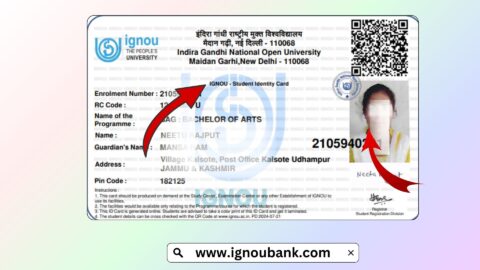
IGNOU provides student services through its official student portal at https://ignou.samarth.edu.in/. Once your admission is confirmed and the required account or record is available, log in and check the services offered for downloading your ID card.
Is IGNOU registration status the same as re-registration status?
No. Fresh registration relates to applying for admission to a programme, while re-registration generally relates to continuing an existing programme into the next semester or academic year. Use the appropriate portal for your situation.
Conclusion
IGNOU Registration Status 2026 helps applicants and students review the admission or registration information available in the university’s online system. To check your details, visit the official registration status portal, enter the required information, and review the result carefully.
If you have recently submitted an application, you should also check the original admission portal, confirm your payment record, and monitor official communication for any additional instructions. Existing students who need to continue their programme should use the separate re-registration portal.
If your status is missing or unclear, verify your details, keep your application and payment acknowledgements, and contact the appropriate IGNOU Regional Centre or support service. For unresolved problems, use the official grievance portal.
Always rely on IGNOU’s official website and the relevant admission notifications for accurate information about registration, deadlines, payments, and admission confirmation. These precautions can help you track your application and resolve registration-related issues more efficiently.